 Leafy


Leafy press kit
Everything you need to write about Leafy: a fact sheet, the app icon and screenshots. Free to use in articles and reviews.
Download press kit (.zip, 1.5 MB)
Fact sheet
- Name: Leafy — PDF reader & editor for Mac
- Developer: Super Pig Studio (Kevin Nguyen), Vietnam
- Platform: macOS 12 Monterey or later · Apple silicon & Intel
- Current version: 1.0
- Price: Free. Leafy Pro is a one-time purchase: $3.99 (1 Mac) or $6.99 (3 Macs). No subscription.
- Languages: English, Vietnamese
- Website: leafy.macplanet.vn
- Contact: info@superpigstudio.com
About Leafy
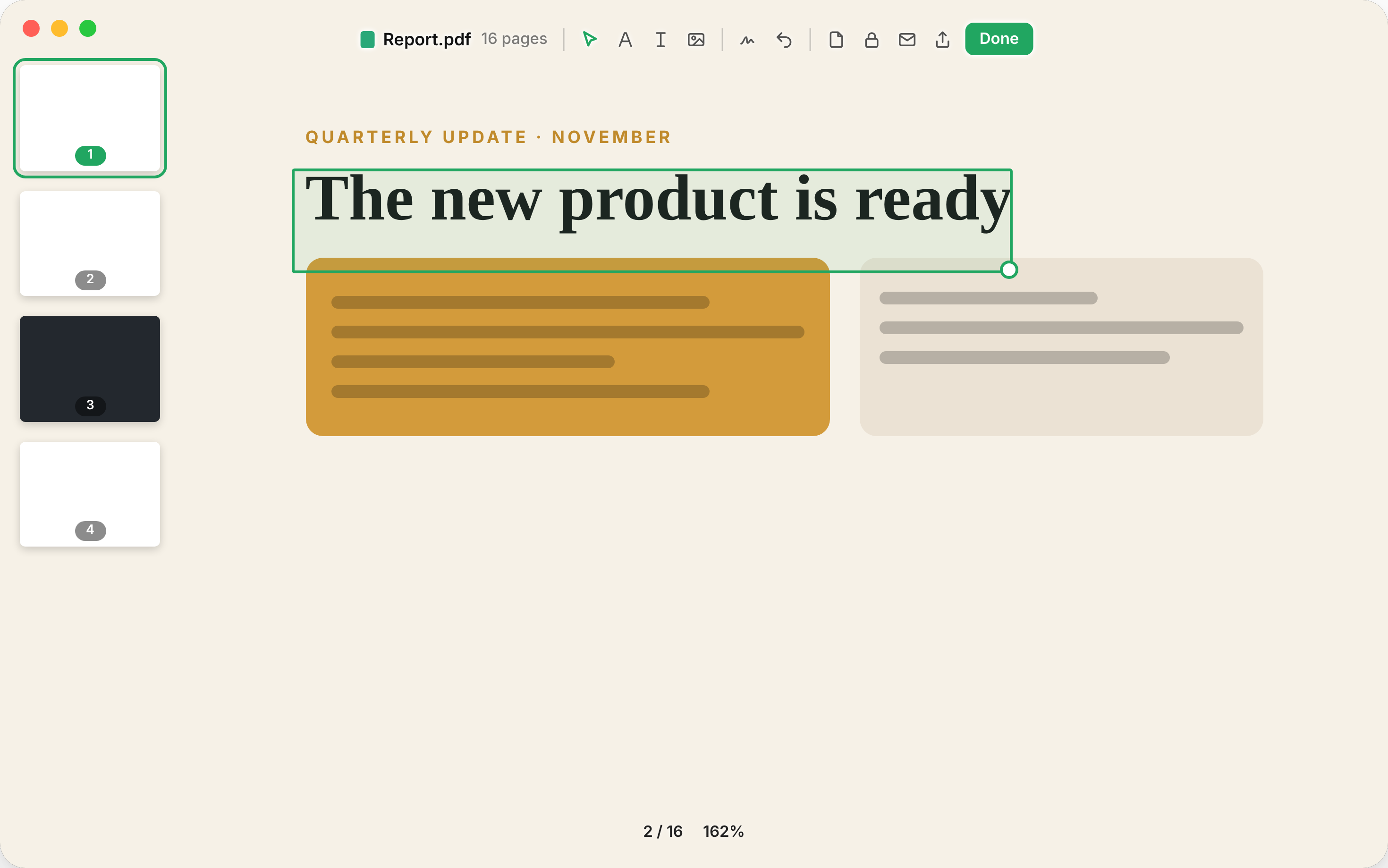
In one sentence: Leafy is a fast, minimal PDF app for Mac that lets you edit the text and images already in a PDF, sign it, rearrange pages and convert it to Word with its layout intact.
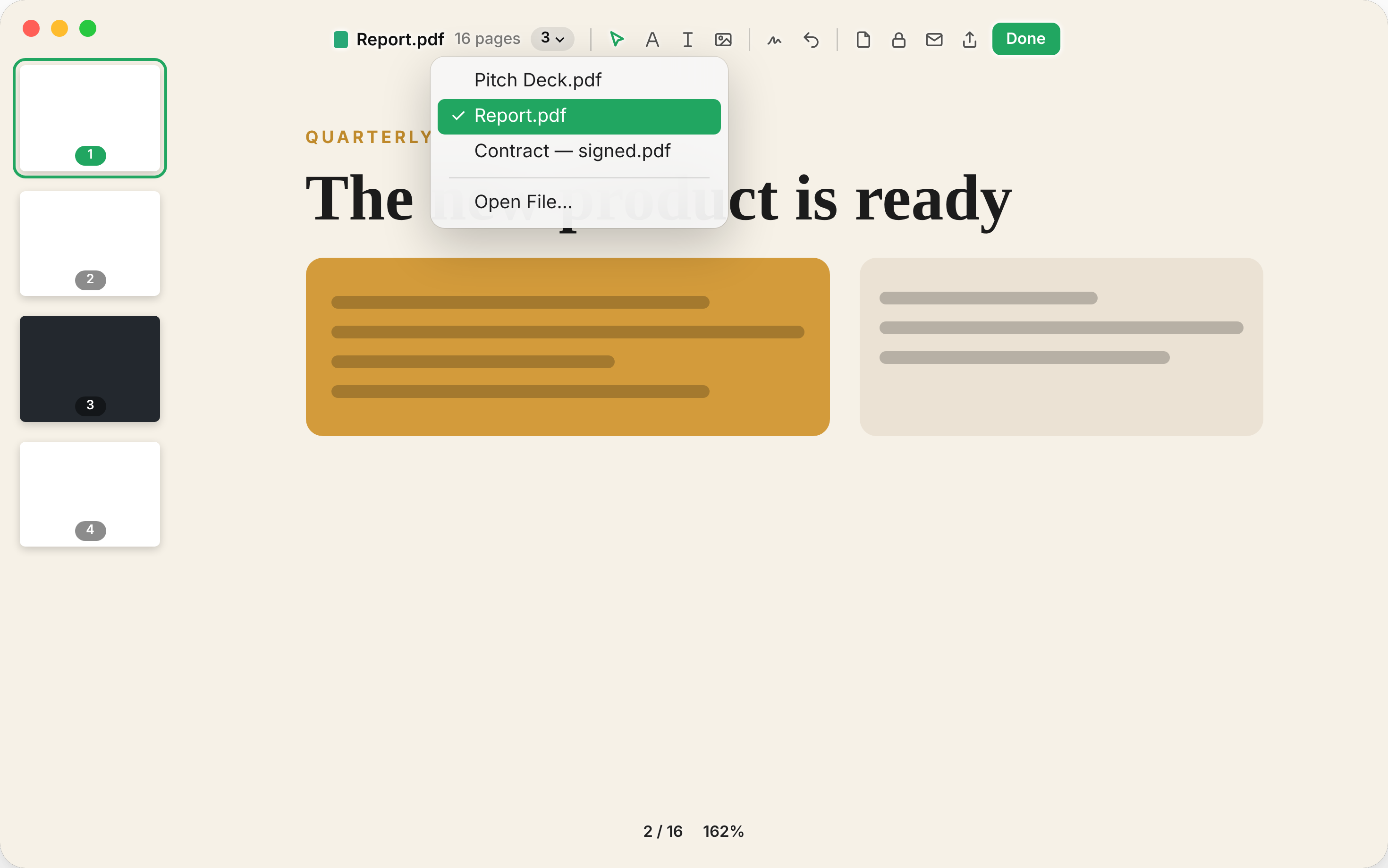
In a paragraph: Leafy opens PDFs edge to edge with no toolbar in the way — the tools float on the page and fade out while you read. Click any line to edit it in its original font, replace or delete images, add text and signatures, and drag pages to reorder, insert or delete them, just like in Preview. Several documents open in one window and can be emailed straight from the toolbar. Leafy Pro adds PDF to Word (.docx) that keeps the original layout — even for scanned pages and slides — compression including a drop zone on the MacBook notch, two-level password protection, unlimited signatures and image export. Everything runs on the Mac; documents never leave it.
Key features
- Edit existing text & images — in the original font, free.
- Sign — draw, type or import a signature and place it in a click.
- Organize pages — drag to reorder, drop files to insert, delete, rotate.
- PDF → Word — keeps the layout; readable text even from image-only slides.
- Compress — shrink PDFs, or drop them on the MacBook notch.
- Passwords — lock opening, or allow reading but block copying and export.
App icon
Screenshots